
Building a Fast, Image-Heavy Artist Portfolio with Astro, Sanity and Cloudflare
How teyl studio combined responsive image generation, validated Sanity content and a secure Cloudflare publishing pipeline for Seçil Güven's portfolio.
- Ümit Mehmed
- Design engineer at teyl studio
- Published
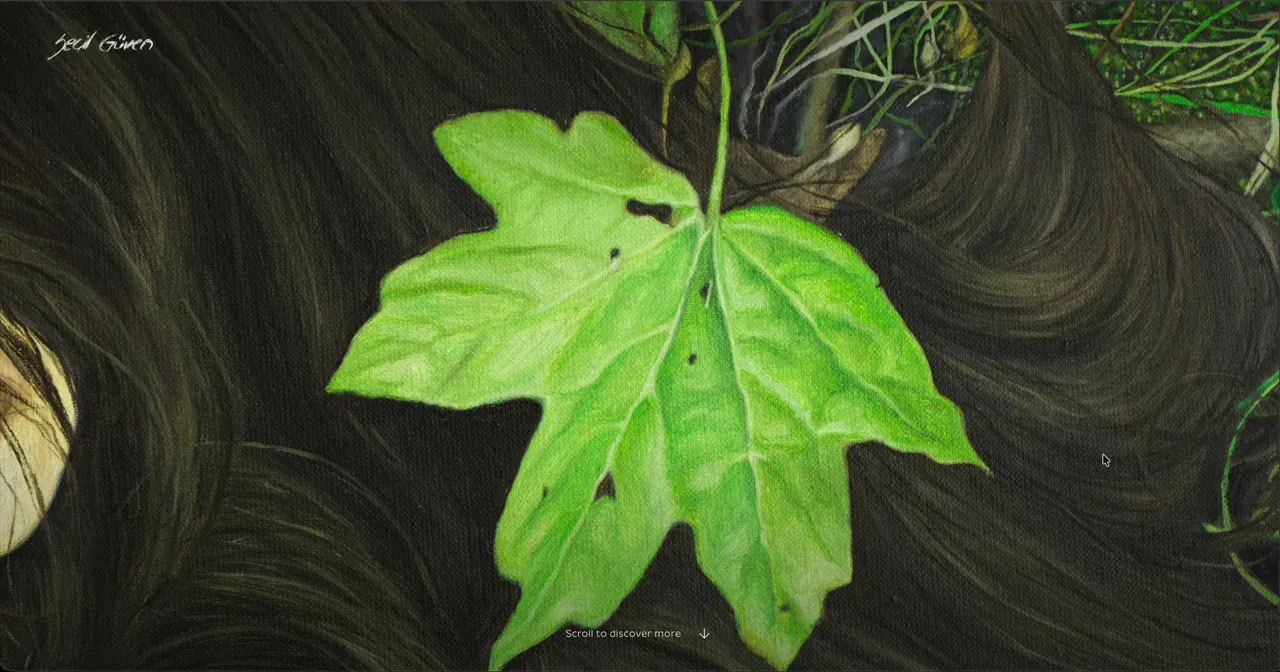
An artist’s portfolio presents an unusual technical challenge.
The images are not supporting content. They are the content. Every decision about compression, cropping, loading and layout affects how the artwork is experienced.
When I built a new portfolio for Amsterdam-based painter Seçil Güven, the website had three requirements that can easily pull in different directions:
- Present high-resolution paintings without compromising their visual quality.
- Keep the website fast and stable across screen sizes.
- Give Seçil control over her work without requiring a developer whenever she wanted to publish an update.
The solution combined Astro, Sanity and Cloudflare, but the important part was not the list of technologies. It was deciding where each responsibility should live and how the different parts should communicate safely.
Architecture at a glance
The public website and the editing environment are deliberately separated:
Artist -> Sanity Studio -> Published content
              |                  |
              | Update website   v
              v             Validated snapshot
        Publish request           |
              |                  v
              v             Astro static build -> Cloudflare delivery
        Signed webhook            ^
              |                  |
              v                  | deploy hook
       Cloudflare Worker --------+
              |
              v
      D1 deduplication and retry state
Sanity owns structured content and editorial control. Astro turns a validated content snapshot into static pages and responsive image assets. Cloudflare delivers those pages and provides the small publishing service that connects an editor’s action to a new deployment.
This boundary keeps the visitor experience independent from live CMS requests while still giving the artist a clear way to update the site.
Starting with the artwork
The visual direction is deliberately restrained. Navigation, typography and transitions support the paintings without competing with them.
That simplicity makes image delivery even more important. A full-screen painting arriving slowly, appearing soft or shifting the page as it loads would immediately weaken the experience.
Instead of asking Seçil to prepare several versions of every artwork, the workflow begins with a single high-quality upload in Sanity.
During the website build, Astro generates the formats and dimensions required for different contexts:
- large entrance images for wide screens;
- responsive gallery images;
- smaller index thumbnails;
- mobile, tablet and desktop variants;
- AVIF and WebP versions with an appropriate fallback.
The browser receives a responsive set of options and downloads the most suitable file for the available screen and layout. Images are never enlarged beyond their original dimensions.
The first visible painting is loaded with high priority. Images that appear later are lazy-loaded, so they do not compete with the initial experience.
Every image also has explicit width and height information. This allows the browser to reserve its space before the file arrives, preventing the surrounding interface from shifting.
Sanity’s crop and hotspot data is carried into the frontend too. Seçil can control the focal point of an artwork without hard-coding different positions into the website.
Keeping the public website static
A conventional CMS integration might request content every time someone visits the website. That makes new content immediately available, but it also introduces a runtime dependency: the public site’s performance and reliability become tied to the CMS API.
For this portfolio, I chose a different boundary.
Sanity is the editing environment, but the public website is generated ahead of time. During deployment, the build fetches the currently published content from Sanity, validates it and uses Astro to prerender the pages.
Visitors therefore receive an optimized site from Cloudflare without waiting for a CMS request.
This provides a useful combination:
- Seçil gets a structured visual editing environment.
- Visitors get fast, prerendered pages.
- Draft content remains separate from the public site.
- A temporary CMS problem cannot slow down every page request.
Validating content before deployment
CMS content is external data, even when it comes from a trusted editor. A missing image, malformed URL or reference to an unpublished artwork can break assumptions made by the frontend.
The project therefore validates the complete content snapshot before generating the website.
The validation covers more than basic field types. It checks requirements such as:
- valid image dimensions and HTTPS asset URLs;
- unique artwork and article slugs;
- valid artwork references;
- non-overlapping navigation year ranges;
- valid slideshow configuration;
- approved social-link domains;
- complete required page content.
The generated snapshot is written atomically only after validation succeeds.
Production builds are also prevented from falling back to development fixtures. If Sanity is unavailable or the published content is invalid, the deployment fails instead of quietly publishing test data or an incomplete website.
Failing a build is inconvenient. Publishing the wrong website is worse.
Giving the artist a real publish button
A prerendered website normally introduces another problem: how does a non-technical editor trigger a deployment?
Asking the client to open GitHub or Cloudflare would undermine the purpose of providing a CMS. Automatically rebuilding after every document change would also be wasteful and could deploy content before a group of related edits was ready.
I added a dedicated Update website tool inside Sanity instead.
The workflow is straightforward from Seçil’s perspective:
- Edit and publish the required content in Sanity.
- Select Update website.
- Wait for Cloudflare to build and deploy the new version.
The implementation behind that button is intentionally more defensive.
Selecting it creates a dedicated publish-request document in Sanity. A narrowly filtered webhook sends that request to a separate Cloudflare Worker.
The Worker then:
- verifies the Sanity webhook signature;
- checks the originating project, dataset and operation;
- validates the request identifier and timestamp;
- rejects oversized or malformed payloads;
- uses Cloudflare D1 to prevent duplicate deployments;
- calls a protected Cloudflare deployment hook;
- records whether the request was accepted or failed.
The deployment URL and webhook secret never appear in the Sanity Studio or public website code.
D1 also provides safe retry behaviour. A failed request can be processed again, while duplicate webhook deliveries do not create duplicate builds. A short processing lease allows an abandoned request to be recovered rather than remaining stuck permanently.
This may sound like a lot of infrastructure for one button. That is precisely the point: the complexity belongs behind the interface, not in front of the client.
What I would monitor after launch
A strong lab score is useful, but it is not the end of performance work. Once the site has enough visitors, I would compare those controlled tests with real-user data.
The most useful signals for this portfolio are:
- Largest Contentful Paint for the first artwork on mobile connections;
- Cumulative Layout Shift while images and captions appear;
- image transfer size by viewport and device density;
- failed or unusually slow image requests;
- publishing failures and duplicate webhook deliveries;
- the time between selecting Update website and the new version becoming available.
Those measurements help distinguish an isolated test result from the experience visitors and the artist have over time.
The result
A Lighthouse lab test of the live homepage on 22 September 2026 produced:
- 100 mobile performance;
- 97 desktop performance;
- 1.7-second mobile Largest Contentful Paint on simulated slow 4G;
- 1.2-second desktop Largest Contentful Paint;
- 0 milliseconds Total Blocking Time;
- 0 Cumulative Layout Shift;
- 100 for accessibility, best practices and SEO on both profiles.
These are controlled Lighthouse measurements rather than real-user field data, and performance scores can vary between runs. They nevertheless provide useful verification that an immersive, image-led experience does not have to feel heavy.
More importantly, Seçil can now manage her artworks, writing, image order, metadata and wider content structure herself. One original image is turned into the required responsive assets, and one action publishes the updated website.
The broader lesson
The best technical architecture is not necessarily the one with the most services or the newest tools.
It is the one that places complexity in the right locations.
Astro handles rendering and image generation. Sanity provides structured content management. Cloudflare handles delivery, deployment and the small publishing service connecting the two.
Together, they create an experience that feels simple on both sides:
The audience sees the paintings.
The artist sees an update button.
The machinery in between quietly does its job.